
How to Connect TV to Receiver Without HDMI
In an era where HDMI dominates audiovisual connectivity, many users face challenges when their TV or receiver lacks this port. Whether you’re working with older equipment or exploring alternative setups, this guide provides practical solutions to connect your TV to a receiver without HDMI, ensuring high-quality audio and seamless integration.
1. Optical Audio (TOSLINK)
Best for: Digital audio transmission with minimal quality loss.
Steps:
Steps:
- Locate ports: Identify the optical audio (TOSLINK) port on your TV and receiver.
- Connect: Use a TOSLINK cable to link the TV’s output to the receiver’s input.
- Configure settings: Set the TV’s audio output to “optical” and select the corresponding input on the receiver.
Tip: Ensure both devices support Dolby Digital or DTS for surround sound compatibility.
2. RCA (Composite/Component) Cables
Best for: Analog audio and video transmission.
Steps:
Steps:
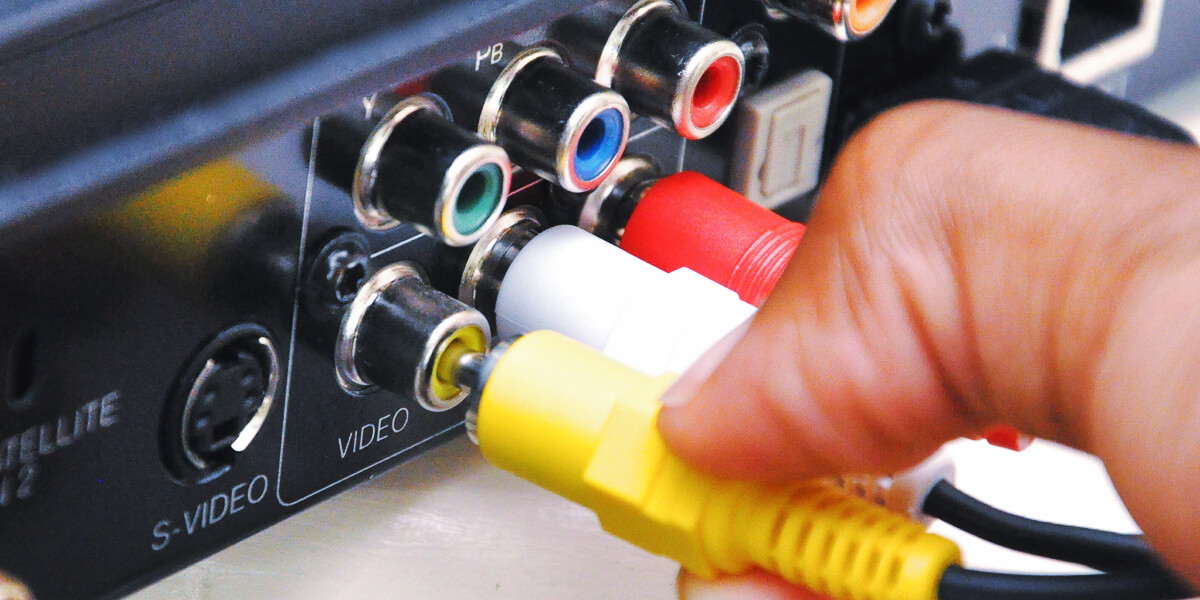
- Identify RCA ports: TVs and receivers often have color-coded RCA jacks (red/white for audio; yellow for video).
- Connect cables: Plug the red/white audio cables into the TV’s output and receiver’s input. For video, use the yellow cable (if required).
- Adjust settings: Switch the receiver’s input to “AUX” or “Video In.”
Note: Component cables (red/green/blue for video + audio) offer higher resolution than composite.
Comparison Table:
| Connection Type | Audio Quality | Video Quality | Ease of Use |
|---|---|---|---|
| Optical (TOSLINK) | High (digital) | N/A | Moderate |
| RCA (Composite) | Medium | Standard Def | Easy |
| RCA (Component) | Medium | 1080p | Moderate |
3. 3.5mm AUX to RCA
Best for: TVs with a headphone jack.
Steps:
Steps:
- Use an adapter: Connect a 3.5mm-to-RCA cable from the TV’s headphone jack to the receiver’s RCA input.
- Adjust volume: Set the TV’s headphone output to a fixed level to avoid distortion.
4. Bluetooth Transmitter
Best for: Wireless audio streaming.
Steps:
Steps:
- Pair devices: Connect a Bluetooth transmitter to the TV’s audio output (via optical or AUX).
- Enable pairing mode: Sync the transmitter with your receiver’s Bluetooth input.
Limitation: May introduce slight audio latency; ideal for casual viewing.
5. Coaxial Digital Audio
Best for: High-fidelity audio (alternative to optical).
Steps:
Steps:
- Link ports: Use a coaxial cable between the TV’s digital audio out and the receiver’s coaxial input.
- Configure: Set the TV’s audio output to “digital coaxial” and select the matching receiver input.
Final Recommendations:
For audiophiles, prioritize optical or coaxial connections for lossless audio. Casual users may prefer RCA or Bluetooth for simplicity. Always verify device compatibility and update firmware for optimal performance.
For audiophiles, prioritize optical or coaxial connections for lossless audio. Casual users may prefer RCA or Bluetooth for simplicity. Always verify device compatibility and update firmware for optimal performance.
By leveraging these methods, you can transform older equipment into a versatile home theater system, bridging the gap between analog and digital technologies.