
HDMI or DisplayPort? The First Cable Decision Every PC Gamer Makes
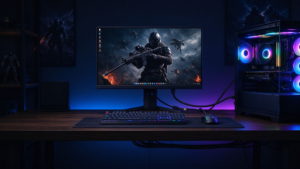
You just built a new rig with an RTX 4070 / 4080 / 4090 (or an AMD RX 7900 XT), bought a 4K 144Hz or QD-OLED gaming monitor, and now you’re staring at the back of your PC: which cable do you plug in?
Most modern graphics cards and gaming monitors give you both an HDMI 2.1 port and one or more DisplayPort (DP 1.4 / 2.1) ports. The cable you choose determines whether you actually hit 4K@144Hz, 8K@60Hz, VRR / G-Sync / FreeSync, or whether you’re stuck at 60Hz with tearing and input lag.
This guide breaks down HDMI 2.1 vs DisplayPort — bandwidth, resolution/refresh support, adaptive sync, multi-monitor, and which one to use for PC gaming, consoles, and laptops.
HDMI 2.1: The Console-Friendly Standard
Key specs of HDMI 2.1:
- Bandwidth: 48Gbps (Ultra High Speed HDMI cable)
- Max video: 4K@120Hz, 8K@60Hz, 10K@120Hz with DSC
- Adaptive sync: VRR (Variable Refresh Rate) — works with PS5, Xbox Series X/S, and some PC monitors
- Other features: ALLM (auto low-latency mode), QFT (quick frame transport), QMS, eARC
- Used by: PS5, Xbox Series X/S, most TVs, laptops, and increasingly PC monitors
- Connector: Small, reversible-ish HDMI Type A plug
HDMI 2.1 is essential if you own a PS5 or Xbox Series X, because consoles only output over HDMI.
DisplayPort 1.4 / 2.1: The PC Gaming Standard
Key specs:
- DP 1.4 bandwidth: 32.4Gbps (HBR3), up to 4K@144Hz 8-bit or 4K@120Hz 10-bit with DSC
- DP 2.1 bandwidth: 80Gbps (UHBR20) — roughly 2x HDMI 2.1
- Max video (DP 1.4): 4K@144Hz, 8K@60Hz with DSC
- Max video (DP 2.1): 4K@240Hz, 8K@120Hz, 16K@60Hz
- Adaptive sync: G-Sync (NVIDIA) and FreeSync / Adaptive Sync (AMD) — mature, low-latency, broad monitor support
- Other features: MST (multi-stream transport for daisy-chained monitors), DSC, DP Alt Mode over USB-C
- Used by: NVIDIA and AMD graphics cards, most PC gaming monitors, Dell/Lenovo/HP monitors
DisplayPort is the default choice for PC gaming at high refresh rates, especially on NVIDIA G-Sync displays.
HDMI 2.1 vs DisplayPort: Bandwidth at a Glance
|
Spec
|
HDMI 2.1
|
DisplayPort 1.4
|
DisplayPort 2.1
|
|
Bandwidth
|
48Gbps
|
32.4Gbps (HBR3)
|
80Gbps (UHBR20)
|
|
Encrypted payload
|
~40Gbps
|
~25.9Gbps
|
~77Gbps
|
|
Typical cable
|
Ultra High Speed HDMI 2.1
|
DP 1.4 certified
|
DP 2.1 / UHBR certified
|
|
4K@60Hz
|
Yes
|
Yes
|
Yes
|
|
4K@120Hz
|
Yes
|
Yes (with DSC)
|
Yes
|
|
4K@144Hz
|
Limited (DSC)
|
Yes (DSC)
|
Yes
|
|
4K@240Hz
|
Requires DSC
|
With DSC
|
Native
|
|
8K@60Hz
|
Yes (DSC)
|
Yes (DSC)
|
Yes
|
|
8K@120Hz
|
Limited
|
With DSC
|
Yes
|
|
DSC support
|
Yes
|
Yes
|
Yes
|
|
Adaptive sync
|
VRR
|
G-Sync / FreeSync
|
G-Sync / FreeSync
|
Which Cable Do You Need for Your Resolution & Refresh Rate?
|
Setup
|
Best Connection
|
Why
|
|
1080p / 144Hz monitor
|
DP 1.4 or HDMI 2.0
|
Both easily deliver this; G-Sync/FreeSync works over DP
|
|
1440p / 144Hz or 165Hz
|
DP 1.4
|
Native G-Sync/FreeSync, best PC experience
|
|
1440p / 240Hz
|
DP 1.4 (DSC) or DP 2.1
|
DP 2.1 gives native bandwidth
|
|
4K / 120Hz (PC)
|
HDMI 2.1 or DP 1.4
|
Both deliver; DP 1.4 with DSC, HDMI 2.1 native
|
|
4K / 144Hz / 160Hz
|
DP 1.4 (DSC) or DP 2.1
|
DP is more mature for 4K high refresh PC
|
|
4K / 240Hz QD-OLED
|
DP 2.1 preferred
|
HDMI 2.1 can do it with DSC; DP 2.1 is native
|
|
8K / 60Hz
|
HDMI 2.1 or DP 1.4 (DSC)
|
Both work; check monitor spec
|
|
PS5 / Xbox Series X
|
HDMI 2.1 only
|
Consoles have no DisplayPort output
|
|
Laptop / USB-C
|
USB-C DP Alt Mode
|
Uses a DP signal over USB-C
|
|
Multi-monitor daisy chain
|
DisplayPort (MST)
|
HDMI has no equivalent
|
HDMI vs DisplayPort by Device
|
Device
|
Best Cable
|
Notes
|
|
Desktop PC + NVIDIA GPU + G-Sync monitor
|
Native G-Sync, broad compatibility
|
|
|
Desktop PC + AMD GPU + FreeSync monitor
|
DisplayPort 1.4
|
FreeSync works best over DP
|
|
PS5 / Xbox Series X + 4K TV
|
Only console output; VRR + 4K120
|
|
|
Laptop (USB-C) to monitor
|
USB-C to DP / HDMI adapter
|
DP Alt Mode
|
|
MacBook / MacBook Pro
|
USB-C / Thunderbolt to DP
|
DP Alt Mode over USB-C
|
|
Home theater TV + AV receiver
|
HDMI 2.1 + eARC
|
Audio return channel required
|
|
Multi-monitor (2+ daisy chain)
|
DisplayPort MST
|
HDMI cannot daisy-chain
|
FAQ
Q: Is HDMI 2.1 or DisplayPort better for PC gaming?
For PC gaming, DisplayPort 1.4 is usually the better choice — it natively supports G-Sync / FreeSync, MST daisy-chaining, and 4K@144Hz with DSC. HDMI 2.1 is required for PS5 / Xbox Series X and is increasingly popular on 4K OLED monitors.
Q: Which should I plug into my RTX 4090 — HDMI or DP?
If your monitor supports it, use DisplayPort 1.4 for PC gaming (G-Sync, high refresh). Use HDMI 2.1 for connecting a 4K TV or a PS5 / Xbox.
Q: Can HDMI 2.1 do 4K@144Hz?
Yes, with an Ultra High Speed HDMI 2.1 certified cable and a compatible monitor. Some 4K@144Hz panels require DSC over HDMI 2.1, while DisplayPort 1.4 does it natively.
Q: Is DisplayPort better than HDMI for 144Hz?
For 1080p / 1440p / 144Hz monitors, DisplayPort is the default — G-Sync and FreeSync are most mature over DP. HDMI 2.1 also supports 144Hz on newer monitors.
Q: Do I need a special cable for DisplayPort?
Use a DP 1.4 certified cable for 4K@144Hz / 1440p@240Hz. For DP 2.1, look for UHBR20 certified cables. Cheap unmarked cables often fail at high bandwidth.
Q: Can I use HDMI and DisplayPort at the same time?
Yes — most graphics cards have multiple outputs. You can connect one monitor over DP and a TV over HDMI simultaneously, or drive a multi-monitor setup.