
Introduction
As electronic device interfaces evolve, USB-C has gained prominence for its efficiency and versatility. However, confusion persists among users regarding speed differences between native USB-C ports and USB-A to USB-C adapters. This article explores technical specifications, real-world performance metrics, and practical application scenarios to clarify these distinctions.
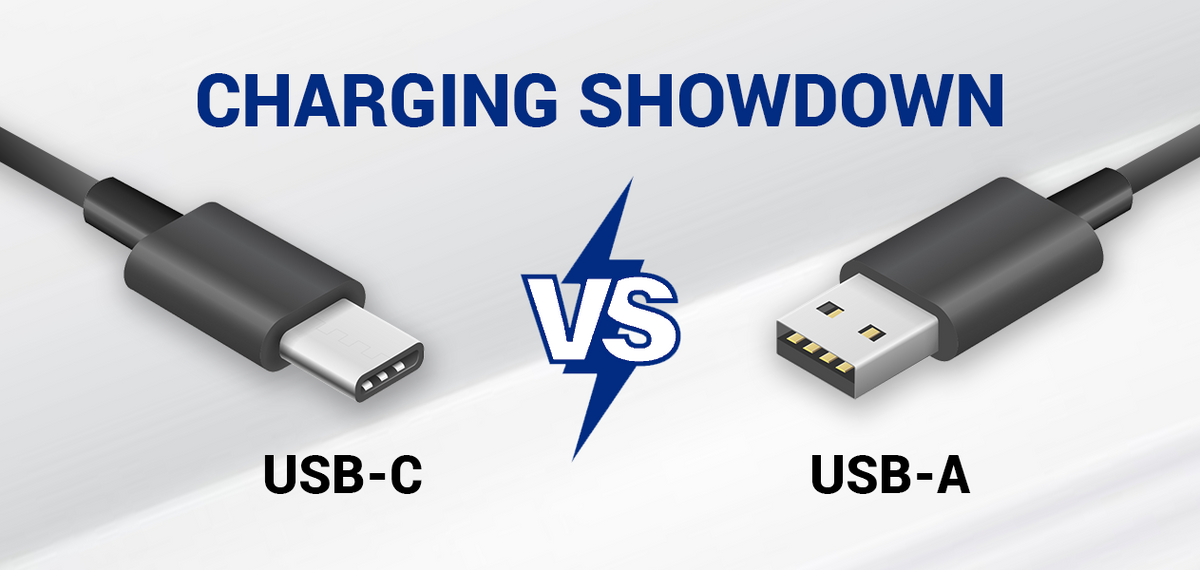
USB-C vs. USB-A to USB-C:Technical Design and Protocol Differences
-
Interface Architecture
- USB-C: Supports bidirectional power delivery (up to 240W) and dual-channel data transmission. Its symmetrical design eliminates insertion orientation issues.
- USB-A to USB-C: Relies on legacy USB-A ports, limiting power delivery (typically 7.5W–15W) and restricting data pathways to single-channel operation.
-
Transmission Protocols
- USB-C:Compatible with USB 3.2 Gen 2×2 (20Gbps), USB4 (40Gbps), and Thunderbolt 4 (40Gbps with PCIe tunneling).
- USB-A to USB-C:Usually capped at USB 3.2 Gen 1 (5Gbps) due to hardware constraints of USB-A connectors.
USB-C vs. USB-A to USB-C:Speed Test Data
| Scenario | USB-C Native | USB-A to USB-C |
|---|---|---|
| 10GB Video Transfer | 45–60 sec | 120–180 sec |
| 4K External Display | Stable 60Hz | Limited to 30Hz |
| Fast Charging (65W) | Supported | Not Supported |
Application Recommendations
- High-Speed Needs (e.g., 8K video editing, gaming): Prioritize USB-C native ports.
- Legacy Device Compatibility: Use USB-A to USB-C adapters for peripherals like older printers or keyboards.
- Hybrid Workflows: Opt for docks with dual USB-C/USB-A ports to balance speed and backward compatibility.
FAQ
Q: Can USB-A to USB-C achieve USB4 speeds?
A: No. USB4 requires native USB-C hardware and Thunderbolt certification.
Q: Does cable quality affect speed?
A: Yes. Certified USB-C cables (e.g., Thunderbolt 4) ensure maximum throughput, while uncertified adapters may throttle performance.
A: Yes. Certified USB-C cables (e.g., Thunderbolt 4) ensure maximum throughput, while uncertified adapters may throttle performance.
Conclusion
USB-C delivers superior speed and functionality in native implementations, whereas USB-A to USB-C adapters serve primarily as transitional solutions for legacy devices. For future-proofing, prioritizing USB-C-enabled devices is recommended.