

In the world of home theaters, gaming setups, and professional workstations, choosing the right connection cable can make or break your audio-visual experience. HDMI, DisplayPort, and fiber optic cables dominate the market—but each shines in different scenarios. Let’s cut through the jargon to find your perfect match.
Key Specs Showdown: At a Glance
Not all cables are created equal. This table breaks down the critical differences between leading options:
| Feature | HDMI 2.1 (Copper/Fiber) | DisplayPort 2.0 | Fiber Optic (HDMI/DP) |
|---|---|---|---|
| Max Bandwidth | 48 Gbps | 80 Gbps | Up to 80 Gbps |
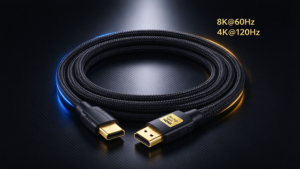
| Top Resolution/Refresh | 8K@60Hz, 4K@120Hz | 16K@60Hz, 4K@240Hz | Same as base standard |
| HDR Support | Dynamic (Dolby Vision IQ) | Dynamic HDR | Uncompromised HDR |
| Key Features | VRR, ALLM, eARC | MST (multi-display), DSC | EMI immunity, long-range |
| Passive Length Limit | 3–10m | ~4.5m | N/A (active only) |
| Active Length Limit | Up to 300m (fiber) | Up to 100m (optical) | 91–300m |
Head-to-Head: When to Pick Which?
1. HDMI Cables: The Universal Workhorse
HDMI is the household name for a reason—it’s everywhere. From TVs and gaming consoles (PS5/Xbox Series X) to projectors, almost every consumer device supports it.
Best For: Home theaters and console gaming. HDMI 2.1’s exclusive features like VRR (variable refresh rate) eliminate screen tearing, while ALLM (auto low latency mode) keeps game delay under 5ms . Its eARC support also delivers Dolby Atmos without extra audio cables.
Watch Out For: “HDMI 2.1” cables—some skip key features like 4K@120Hz . Stick to certified high-bandwidth models.
2. DisplayPort: The Pro & Gamer Favorite
DisplayPort (DP) rules high-performance setups, thanks to VESA’s focus on raw power. DP 2.0 hits 80Gbps bandwidth—enough for 16K@60Hz or 4K@240Hz .
Best For: PC gaming, graphic design, and multi-monitor workstations. Its MST (Multi-Stream Transport) tech lets you daisy-chain 3+ displays from one port . Pro users love its 128-channel audio support for studio setups .
Tradeoff: Less common on TVs and consoles. You’ll need an adapter to connect DP devices to HDMI-only screens .
3. Fiber Optic Cables: The Long-Distance Hero
Fiber optic isn’t a “new” standard—it’s a material upgrade for HDMI/DP. Instead of copper, it uses light signals, making it immune to electromagnetic interference (EMI) .
Best For: Projectors, large home theaters, or office setups over 5m. A fiber HDMI 2.1 cable can transmit 8K@60Hz over 300m without signal loss—something copper cables can’t match .
Catch: Higher cost. Fiber DP cables, while capable of 4K@144Hz, still command premium prices .
Quick Decision Guide
Still unsure? Let your use case lead:
- 🎮 Console Gaming: HDMI 2.1 (full-featured)
- 🖥️ PC Gaming/Pro Design: DisplayPort 2.0/1.4
- 🏠 Large Home Theater: Fiber HDMI 2.1
- 🖇️ Multi-Monitor Setup: DisplayPort (MST support)
- 📽️ Long-Range (>10m): Fiber optic (HDMI/DP)
Final Tip: Version Matters Most
A “HDMI vs. DP” debate means nothing if you’re using outdated cables. For example:
- HDMI 2.0 tops out at 4K@60Hz—fine for old TVs, but useless for 4K gaming .
- DisplayPort 1.4 works for 8K@60Hz, but 2.0 is needed for 16K .
Always match the cable version to your device’s ports (e.g., HDMI 2.1 cable + HDMI 2.1 monitor) to unlock full performance.
Got questions about specific setups? Drop a comment below!