
Introduction: Why Your HDMI Cable Matters More Than You Think
You’ve invested in a 4K TV, a next-gen gaming console, or a high-end laptop—only to be stuck with blurry visuals or laggy gameplay. Chances are, your HDMI cable is the culprit. Not all HDMI cables are created equal, and for 4K 60Hz (or higher) performance, you need a High-Speed HDMI Cable with Ethernet. This guide breaks down what to look for, from certifications to bandwidth, so you can stop guessing and start enjoying crisp, smooth content.
Key Terms Decoded: Premium Certification & 18Gbps Bandwidth
Before shopping, let’s demystify the jargon:
1. Premium HDMI Certification: Your “Guarantee” Stamp
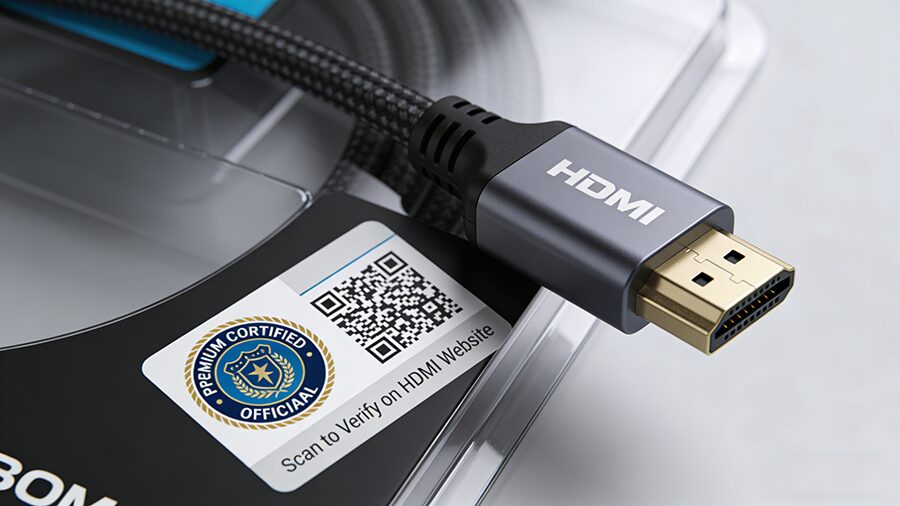
Not all “High-Speed” cables are certified. The HDMI Premium Certification (by HDMI Licensing Administrator) ensures a cable meets strict performance standards:
- Supports 18Gbps bandwidth (critical for 4K 60Hz).
- Delivers uncompressed 4:4:4 color (no color subsampling).
- Works reliably over longer distances (up to 5m for passive cables).
How to spot it: Look for the Premium Certified logo on the cable or packaging (see Figure 1). Many include a QR code to verify authenticity via the HDMI website.

2. 18Gbps Bandwidth: The 4K 60Hz Minimum
Bandwidth is the “data pipeline” of your HDMI cable. For 4K 60Hz with HDR and full color, you need at least 18Gbps:
- 10.2Gbps (Standard HDMI): Tops out at 4K 30Hz or 1080p 60Hz.
- 18Gbps (High-Speed HDMI): Handles 4K 60Hz (4:4:4, HDR10).
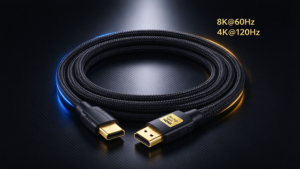
- 48Gbps (Ultra High-Speed HDMI): For 8K or 4K 120Hz (overkill for most 4K 60Hz setups).
Pro Tip: If a cable doesn’t list bandwidth, it’s likely not High-Speed.
How to Spot Fake High-Speed HDMI Cables
Counterfeit cables are everywhere—here’s how to avoid them:
| Check | Genuine Cables | Fake Cables |
|---|---|---|
| Certification | Premium Certified logo with scannable QR code | No logo, blurry/forged logos, or no QR code |
| Cable Label | “High-Speed HDMI Cable with Ethernet” + “18Gbps” | Vague labels like “HDMI Cable” or “4K Ready” |
| Price | $15–$50 (1–2m); $30–$80 (3m+) | Under $10 (suspiciously cheap) |
| Packaging | Branded, with specs (length, bandwidth, HEC) | Generic packaging, no brand/model details |

HDMI with Ethernet vs. Without: What’s the Difference?
HDMI cables come with or without Ethernet (HEC, HDMI Ethernet Channel). Here’s how they stack up:
HDMI with Ethernet (HEC)
- Feature: Transmits 100Mbps network data via the HDMI cable (no extra Ethernet cord needed).
- Use Case: Devices that share internet (e.g., smart TVs, AV receivers, soundbars).
- Identification: Look for “High-Speed HDMI Cable with Ethernet” on the cable or packaging (see Figure 2).
HDMI Without Ethernet
- Feature: No network transmission—only video/audio.
- Use Case: Most modern devices (consoles, laptops, monitors) that connect to Wi-Fi directly.
- Identification: Labeled “High-Speed HDMI Cable” (no “with Ethernet”).