
Connecting a Soundbar to TV Without HDMI: 5 Simple Methods

Soundbar to TV Without HDMI

Table of Contents

How to Connect a Soundbar to TV Without HDMI: 5 Proven Methods (Step-by-Step Guide)

Introduction


Connecting a soundbar to a TV without HDMI might seem challenging, but modern audio systems offer multiple alternatives. This guide explores practical, easy-to-follow methods to enhance your TVโ€™s audio using optical cables, Bluetooth, RCA, AUX, and Wi-Fiโ€”all without HDMI.

Method 1: Optical Cable (TOSLINK)
What You Need:

  • Optical audio cable (TOSLINK)
  • TV and soundbar with optical ports
Steps:
  1. Locate Ports: Check for the optical port (labeled โ€œOpticalโ€ or โ€œTOSLINKโ€) on both devices.
  2. Connect Cable: Insert one end into the TVโ€™s optical output and the other into the soundbarโ€™s input.
  3. Configure Audio: Navigate to your TVโ€™s audio settings and select โ€œOptical Outโ€ as the default output.
Pro Tip: Optical cables support high-quality digital audio but lack HDMIโ€™s ability to transmit Dolby Atmos.

Method 2: Bluetooth Pairing
What You Need:

  • Bluetooth-enabled TV and soundbar
Steps:
  1. Enable Pairing Mode: Activate Bluetooth on both devices (refer to manuals if needed).
  2. Sync Devices: From the TVโ€™s Bluetooth menu, select your soundbar.
  3. Test Audio: Play content to confirm the connection.
Limitation: Some TVs may introduce slight audio lag. Use this method for casual viewing, not high-end home theaters.

Method 3: RCA (Analog) Cables
What You Need:
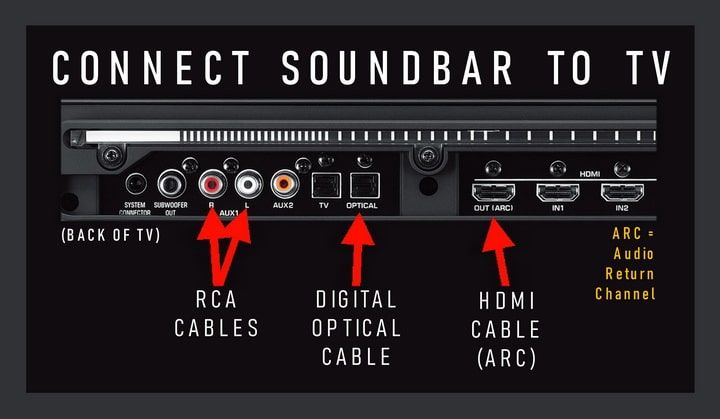
  • RCA cables (red/white connectors)
Steps:
  1. Identify Ports: Locate RCA โ€œAudio Outโ€ ports on the TV and โ€œAudio Inโ€ on the soundbar.
  2. Connect Cables: Match colors (red to red, white to white).
  3. Adjust Settings: Set TV audio output to โ€œAnalogโ€ or โ€œRCA.โ€
Note: RCA provides stereo sound only, ideal for older TVs.
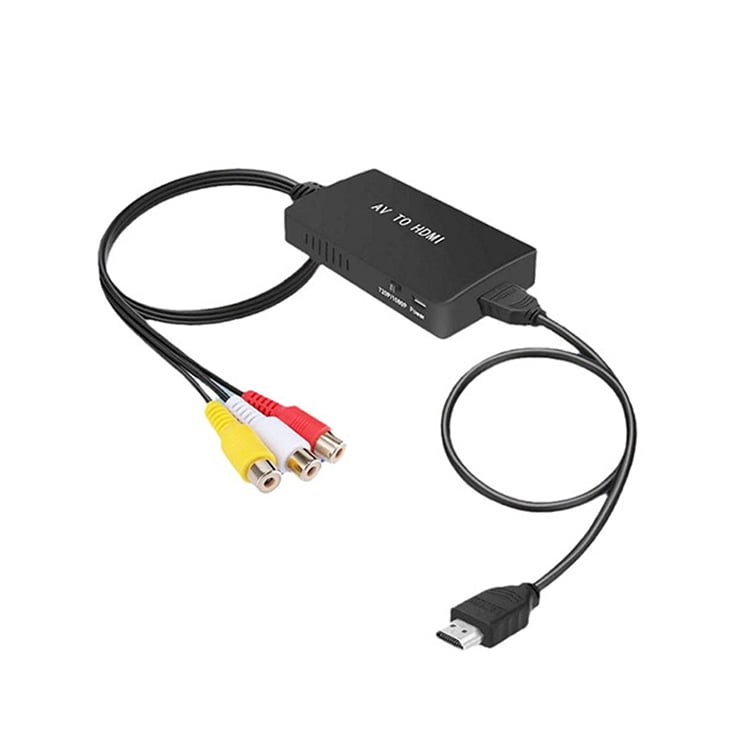
Rca to HDMI

Method 4: 3.5mm AUX Cable
What You Need:

Steps:
  1. Plug In: Connect the AUX cable from the TVโ€™s headphone jack to the soundbarโ€™s AUX input.
  2. Switch Output: Set the TVโ€™s audio output to โ€œHeadphoneโ€ or โ€œExternal Speakers.โ€
Caution: Ensure the TVโ€™s headphone jack isnโ€™t muted or volume-limited.

Method 5: Wi-Fi Streaming
What You Need:

  • Wi-Fi-enabled soundbar (e.g., Sonos, Bose)
Steps:
  1. Install App: Download the soundbarโ€™s companion app (e.g., Bose Music).
  2. Network Setup: Connect both devices to the same Wi-Fi network.
  3. Stream Audio: Use the app to link the TV (via Chromecast, AirPlay, or built-in casting).
Advantage: Wi-Fi offers stable, multi-room audio without cables.

Comparison Table: Connection Methods at a Glance

 

Method Audio Quality Ease of Setup Best For
Optical Cable Digital (Lossless) Moderate HD audio enthusiasts
Bluetooth Compressed Easy Wireless convenience
RCA/Analog Stereo Simple Older TVs
AUX Standard Quick Basic setups
Wi-Fi High (Adaptive) Advanced Smart homes/whole-house audio


Submit Your Sourcing Request
RELATED POSTS

REQUEST A FREE QUOTE

contact us to get latest product catalog